3D-Printed Tools and Parts: Difference between revisions
Jump to navigation
Jump to search
mNo edit summary |
mNo edit summary |
||
| (3 intermediate revisions by the same user not shown) | |||
| Line 32: | Line 32: | ||
* 3D-printed Tools for Beringer Wheels<br>[[File:rim_tools.jpg|300px]]<br>[[Media:Beringer 5 Tire Cone.stl|5 inch cone stl file]]<br>[[Media:Beringer 6 Tire Cone.stl|6 inch cone stl file]] | * 3D-printed Tools for Beringer Wheels<br>[[File:rim_tools.jpg|300px]]<br>[[Media:Beringer 5 Tire Cone.stl|5 inch cone stl file]]<br>[[Media:Beringer 6 Tire Cone.stl|6 inch cone stl file]] | ||
* Template for trimming the flap torque tube bushings<br>[[File:Flap bushing.jpg|300x300px]]<br>[[Media:Flap bushing template.stl|Flap bushing template.stl]] | * Template for trimming the flap torque tube bushings<br>[[File:Flap bushing.jpg|300x300px]]<br>[[Media:Flap bushing template.stl|Flap bushing template.stl]] | ||
* Cap for hinge area (work in progress)<br>[[File:Screenshot 2026-02-20 at 3.50.39 PM.png|280px]] [[File:Screenshot 2026-02-19 at 7.39.08 AM.png|400x400px]]<br>[[File:LDRH1Print.jpg|400x400px]] [[File:Left door right cover.jpg|400x400px]]<br><br>[[Media:LDRH2.stl|Left Door Right Hinge stl file V2]] [[Media: | * Cap for hinge area (work in progress)<br>[[File:Screenshot 2026-02-20 at 3.50.39 PM.png|280px]] [[File:Screenshot 2026-02-19 at 7.39.08 AM.png|400x400px]]<br>[[File:LDRH1Print.jpg|400x400px]] [[File:Left door right cover.jpg|400x400px]]<br><br>[[Media:LDRH2.stl|Left Door Right Hinge stl file V2]] [[Media:DSLDRH1 3Dprint.stl|Left Door Right Hinge stl file different airplane]]<br>[[Media:LDLH1.stl|Left Door Left Hinge stl file V1]] [[Media:DSLDLH1 3Dprint.stl|Left Door Left Hinge stl file different airplane]]<br>[[Media:DSRDLH1 3Dprint.stl|Right Door Left Hinge stl file different airplane]]<br>[https://cad.onshape.com/documents/10162e5e9944655fb4515b05/w/88cf8f5915884ce87daa7b26/e/428530f2c34ce457d43a9f17?renderMode=1&uiState=69a5bca89ea6161071cf3931 Onshape CAD Project (Note: Some mesh operations for some scans are done outside of Onshape using Blender and re-imported)] | ||
[[Category:Optional]] | [[Category:Optional]] | ||
Latest revision as of 16:45, 2 March 2026
See also section CAD_CAM_Files if you have a CNC machine.
Consider joining the 3D Printed Aircraft Parts FB group.
Warning: Depending on the filament material, 3D-printed parts may not withstand high temperatures, e.g. those encountered in an engine compartment. One example is this Cozy Mk IV airplane crash where a commercially 3D-printed air induction elbow collapsed. Source.

Here is a material list and their glass temperatures (caution: composed by AI):
- Les Kearney's Collection of 3D printed parts for the RV-10
- Allan's wing conduit and pitot line bracket
- Shawn's wing conduit and pitot line bracket
- FB thread on printing wing conduit brackets
- Oil Cap with center hole for engine dehumidifier
- Conduit holder with variable tilt angle
- Front RV-10 vent plug
- Glareshield strut compass holder (stl file), credit Igor, VAF member supik
- FB thread on avionics fan controller enclosure
Fan controller enclosure V1.stl
Fan controller lid V1.stl - Current Sensor mount by Rodrigo

- Current Sensor mount for AWG 2 cable by Martin. Uses 3 cable ties to hold the parts and cable together.
Onshape Project: current_sensor_mount


- End cap for armrest


End Cap stl file - Door hinge alignment jig. Print 2 of these and snap them to the bottom of WD-1018 in lieu of the three .125 scrap aluminum pieces for spacing (see 45-06 step #3).


Hinge alignment jig STL file - Headset hanger
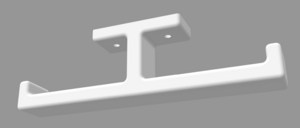
Headset Hanger stl file - Throttle quadrant handle
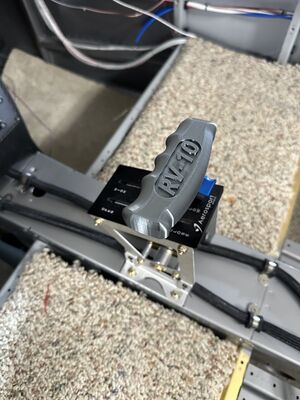
Throttle Handle stl file - 3D-printed Tools for Beringer Wheels
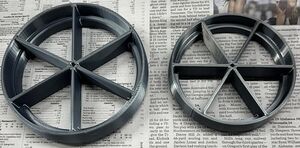
5 inch cone stl file
6 inch cone stl file - Template for trimming the flap torque tube bushings
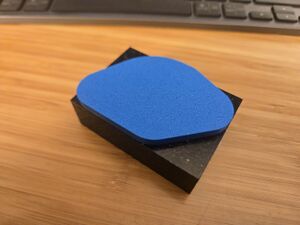
Flap bushing template.stl - Cap for hinge area (work in progress)
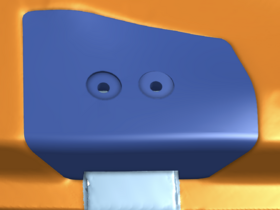
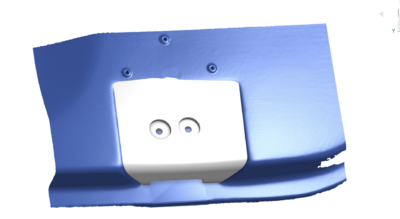
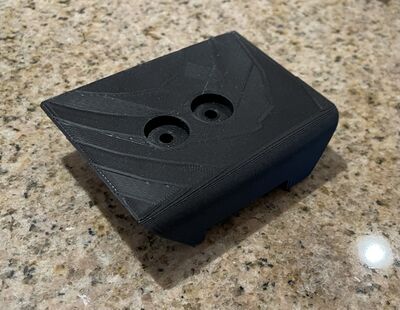
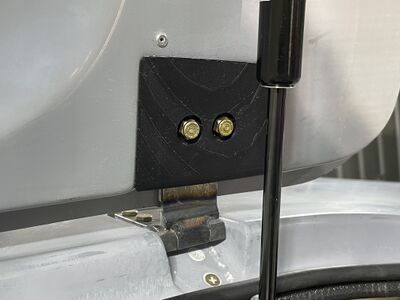
Left Door Right Hinge stl file V2 Left Door Right Hinge stl file different airplane
Left Door Left Hinge stl file V1 Left Door Left Hinge stl file different airplane
Right Door Left Hinge stl file different airplane
Onshape CAD Project (Note: Some mesh operations for some scans are done outside of Onshape using Blender and re-imported)


